What Is Modern Endpoint Management? A Plain-English Guide for SMBs
|
TL;DR → Modern Endpoint Management (MEM) is a cloud-first way to deploy, secure and update every laptop, tablet and phone your business owns without on-prem servers or manual touch-ups. Think zero-touch provisioning, real-time compliance and analytics—all delivered through Microsoft Intune.
1. Why This Matters to Sub-200 Seat Firms
Running patch-night at midnight or driving across town to re-image a sales rep’s laptop isn’t a good use of anyone’s time. MEM lets a lean IT team (or even a solo admin) ship hardware straight from the distributor to the end-user, confident that:
- The device self-configures on first boot via Windows Autopilot.
- Security baselines and Conditional Access apply automatically.
- You can prove ACSC Essential Eight compliance at audit time.

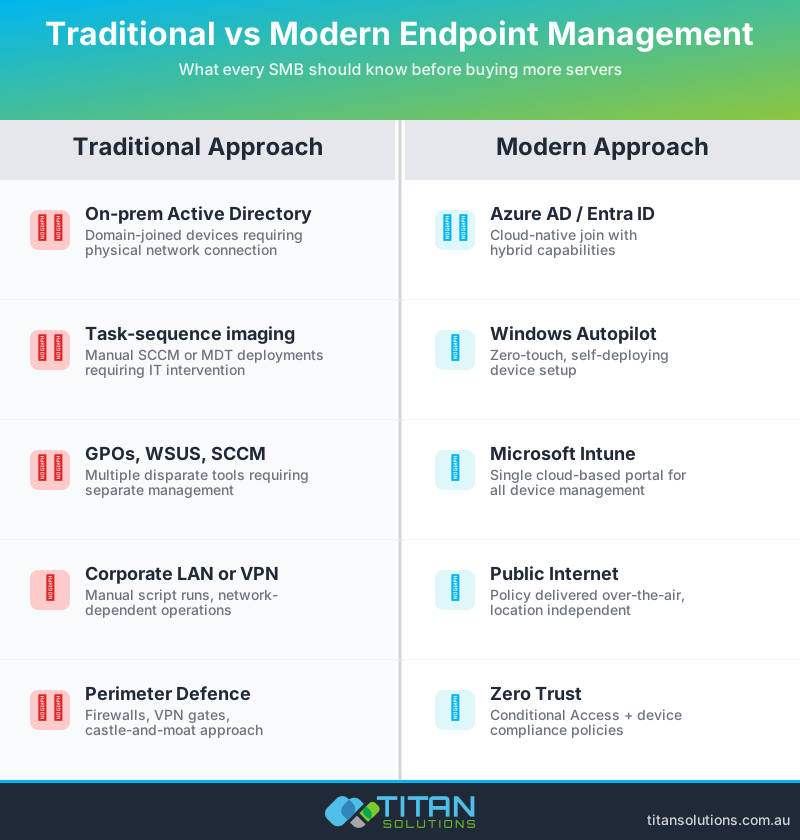
2. Traditional vs Modern Management (Quick Refresher)
| Traditional | Modern |
|---|---|
| On-prem AD / domain join | Azure AD / cloud join |
| Task-sequence imaging | Windows Autopilot (zero-touch) |
| SCCM + GPOs | Microsoft Intune (UEM) |
| Corporate LAN / VPN | Public internet |
| Perimeter-based security | Zero-Trust with Conditional Access |
3. Five Core Pillars of Modern Endpoint Management
- Cloud-native provisioning – Autopilot registers the serial at purchase; users sign in and everything else is automated.
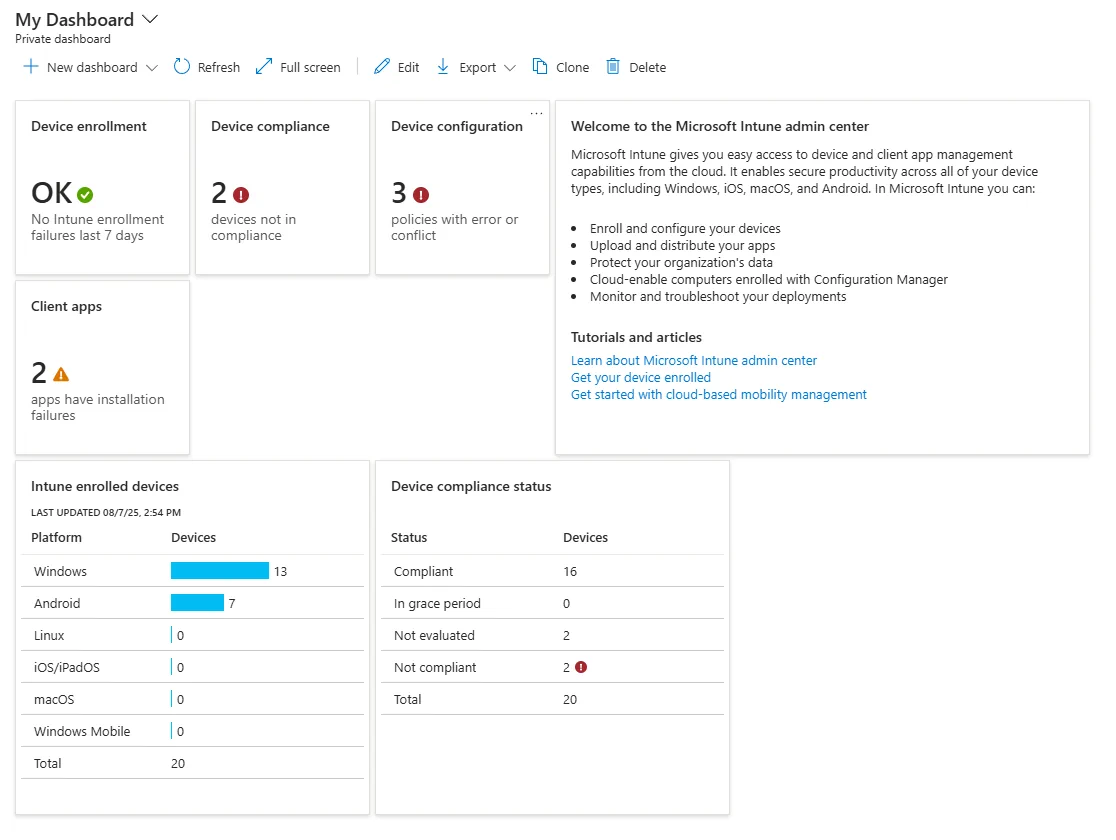
- Unified policy engine – Intune delivers OS settings, apps, BitLocker keys and compliance rules from one portal.
- Real-time compliance – Non-compliant devices are blocked from email and SharePoint until fixed.
- Built-in analytics – Endpoint Analytics scores boot times, app crashes and firmware health so you can pre-empt tickets.
- Zero-Trust alignment – Maps neatly to ACSC Essential Eight controls.
4. Five Myths (and the Facts)
| Myth | Fact for SMBs |
|---|---|
| “Modern management is only for enterprises.” | Intune Business Premium includes the same MEM engine—no servers required. |
| “You still need a VPN for software deployment.” | Intune uses Microsoft’s CDN; no VPN means fewer headaches. |
| “Zero-touch means zero security.” | Security baselines & Conditional Access enforce encryption and MFA from minute one. |
| “It’s too expensive.” | Per-user licensing replaces server hardware, CALs and after-hours patching. |
| “Hybrid AD is safer.” | Hybrid doubles your attack surface; cloud-only with Conditional Access is simpler and often more secure. |
5. Practical Benefits You’ll Notice This Quarter
- Hours not weeks to onboard new hires—devices ship direct from your distributor.
- Predictable cashflow—shift CapEx (servers) to OpEx (licences).
- Happier staff—no VPN, faster logons, fewer forced reboots.
- Audit-ready posture—Intune reports support Essential Eight Level 1 evidence.
- Scalable security—BitLocker keys stored in Entra ID and remote wipe in two clicks.
6. Getting Started: A Four-Step Roadmap
- Pick a licence: Business Premium ≤300 seats; E3 for bigger orgs.
- Baseline security: Enable Windows 11 Security Baseline + five starter Conditional Access policies.
- Automate provisioning: Register hardware IDs with Autopilot; build a “Standard Laptop” profile.
- Measure & iterate: Review Endpoint Analytics weekly; run quarterly Essential Eight self-assessments.
7. FAQs
Does Intune replace Group Policy?
For most modern Windows 11 settings, yes. Legacy GPOs can be replicated with Settings Catalog or imported ADMX files.
How much bandwidth does Autopilot use?
Roughly the size of your app payloads; content is pulled from Microsoft’s CDN, not your office WAN.
8. Next Steps
Still ghost-imaging? Book a 30-minute Endpoint Health Check and we’ll design a tailored MEM rollout plan.
← Back to Blog